How it actually works

One system.
Run by owners, used by staff.

Mohar is the dashboard owners and managers use to run every outlet, and the app staff use every shift — real screens from the real product, not illustrations.
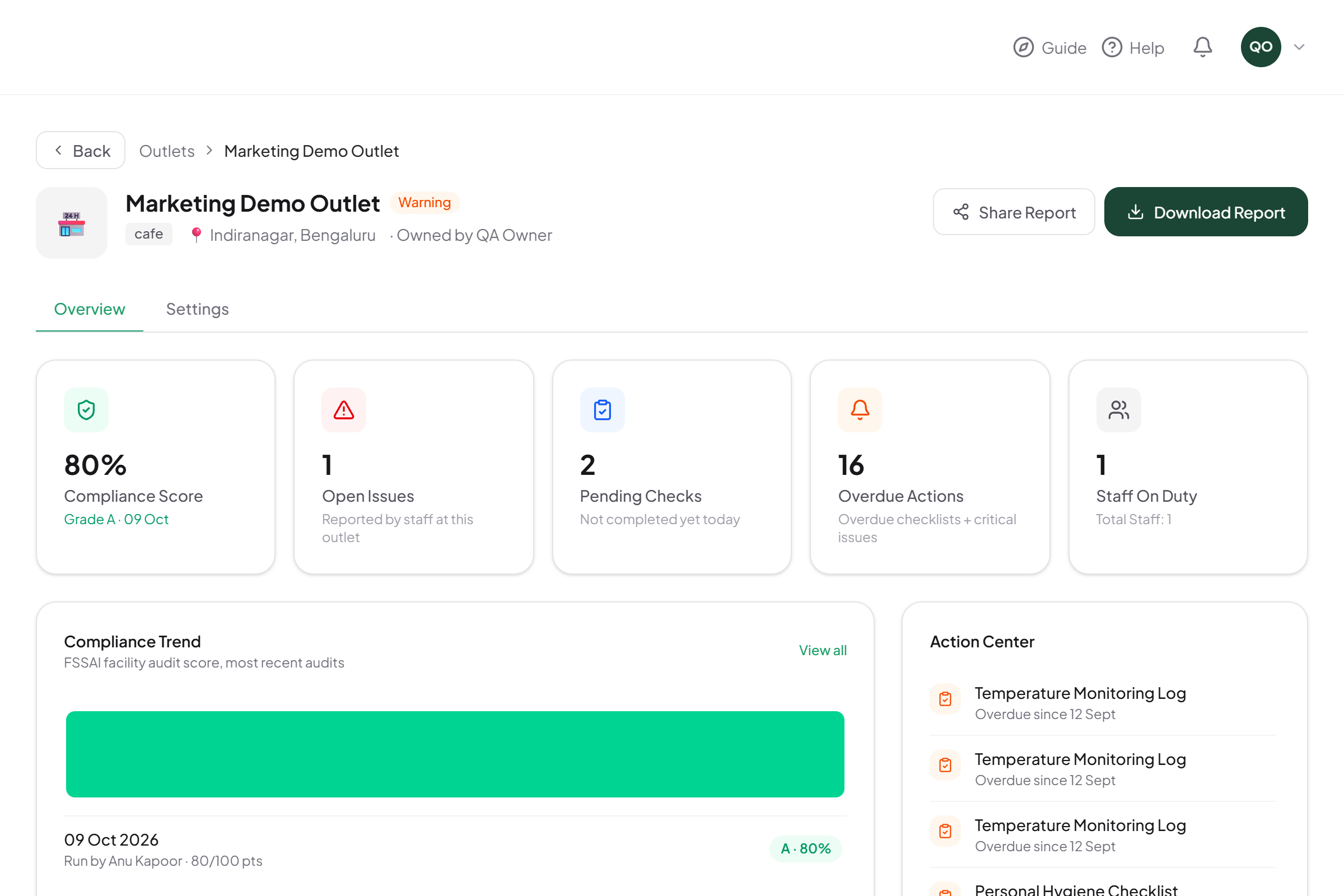
Mohar dashboard — outlet compliance overview
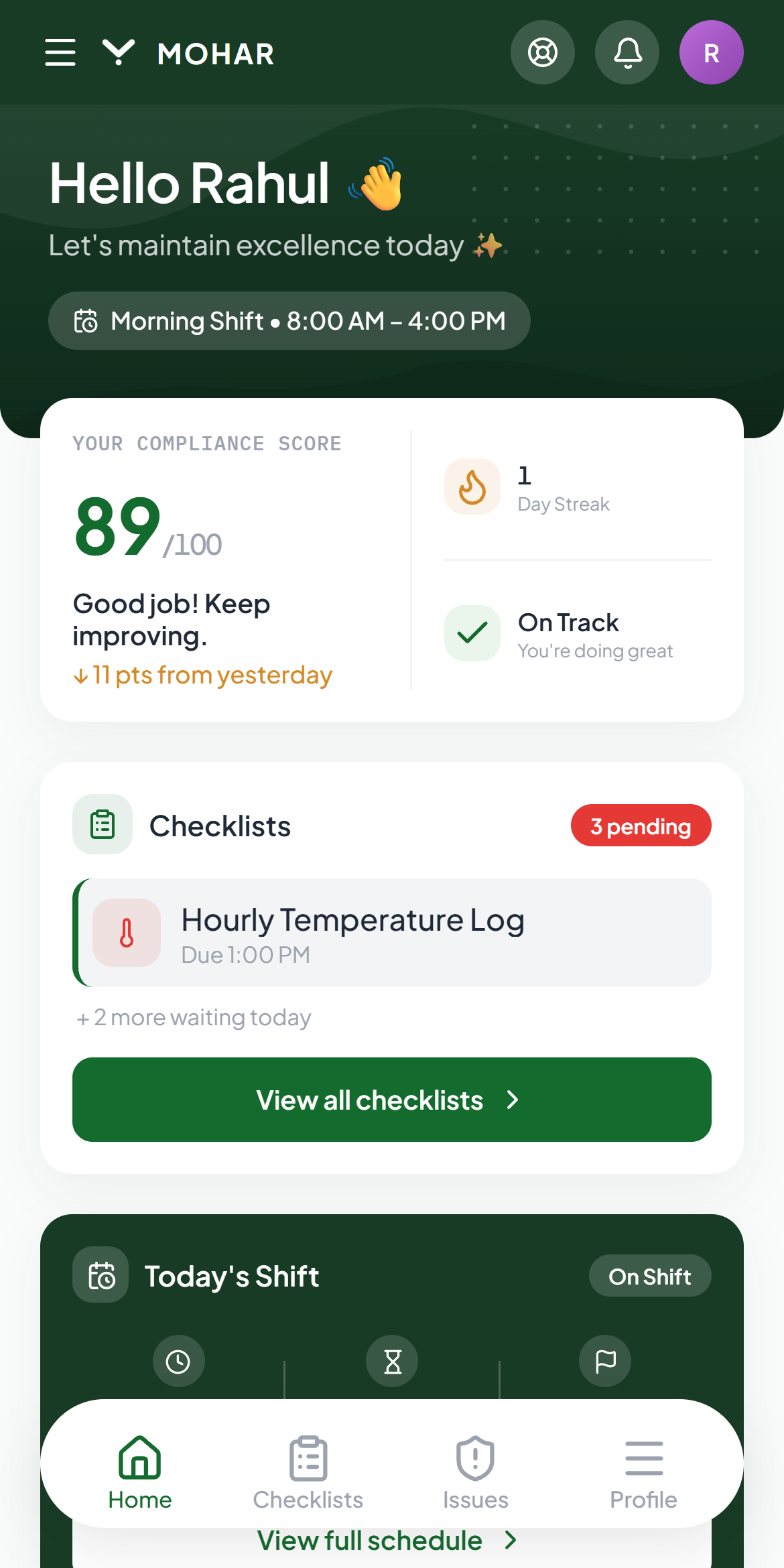
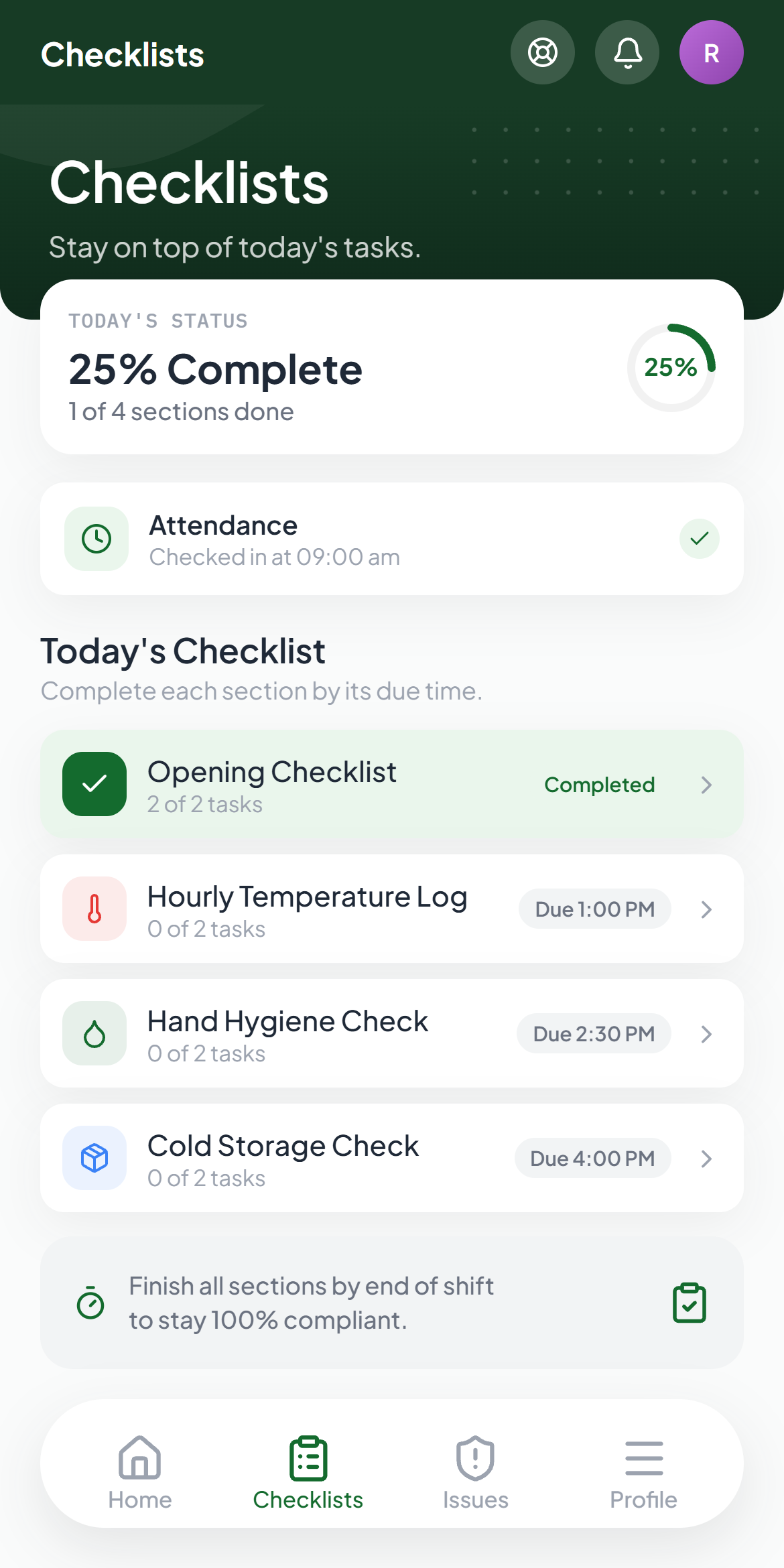
Mohar staff app — home screen
4
Signals in every compliance score
3
Roles, each with exactly what they need
1
Dashboard for every outlet you run
Two roles, one system

What owners and managers do. What staff do.

Nobody gets a screen cluttered with information that isn't theirs to act on.

Web dashboard

Owners & Managers

Run every outlet from one browser tab — compliance, staffing, documents and reports, all in one place.
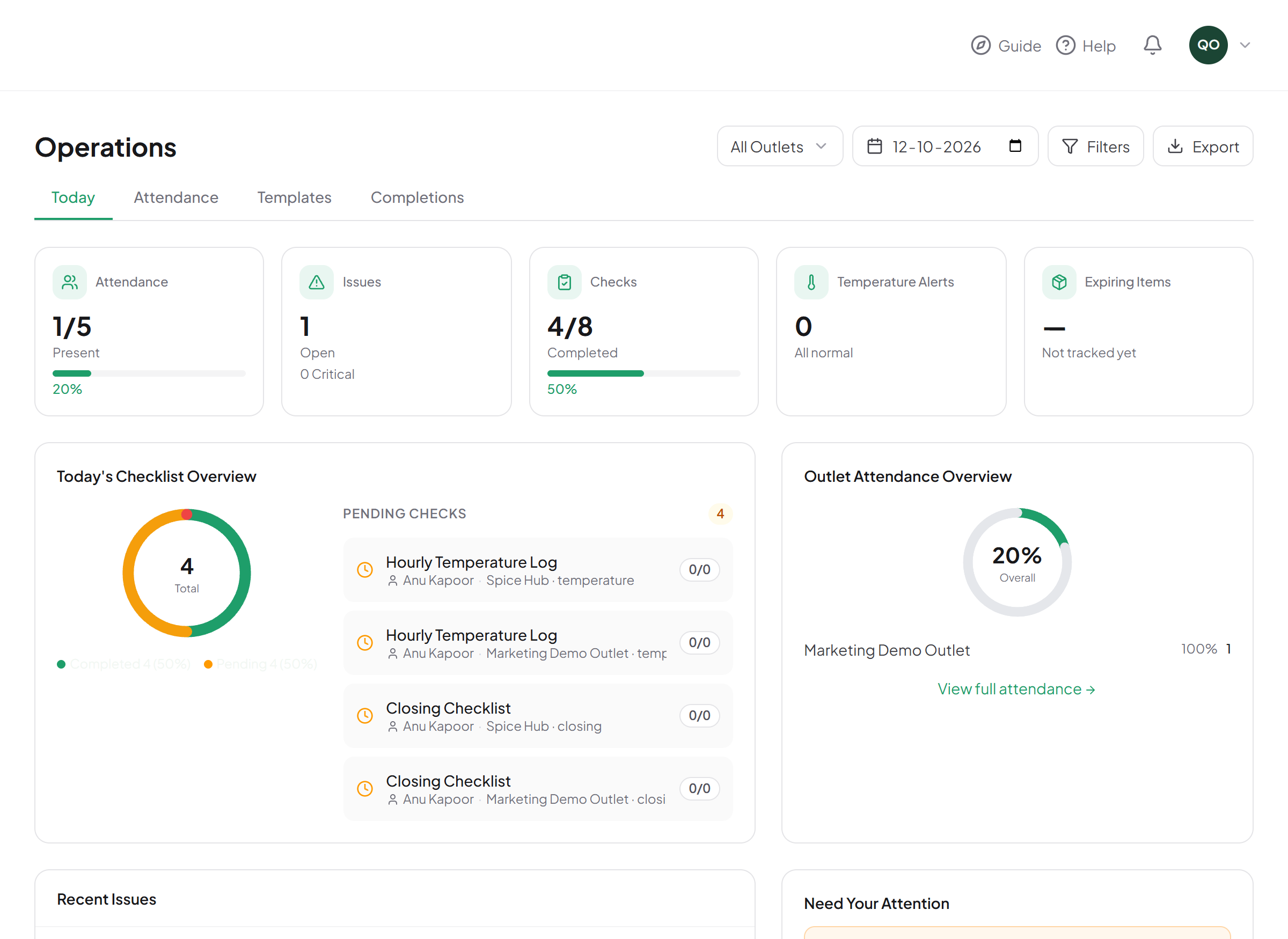
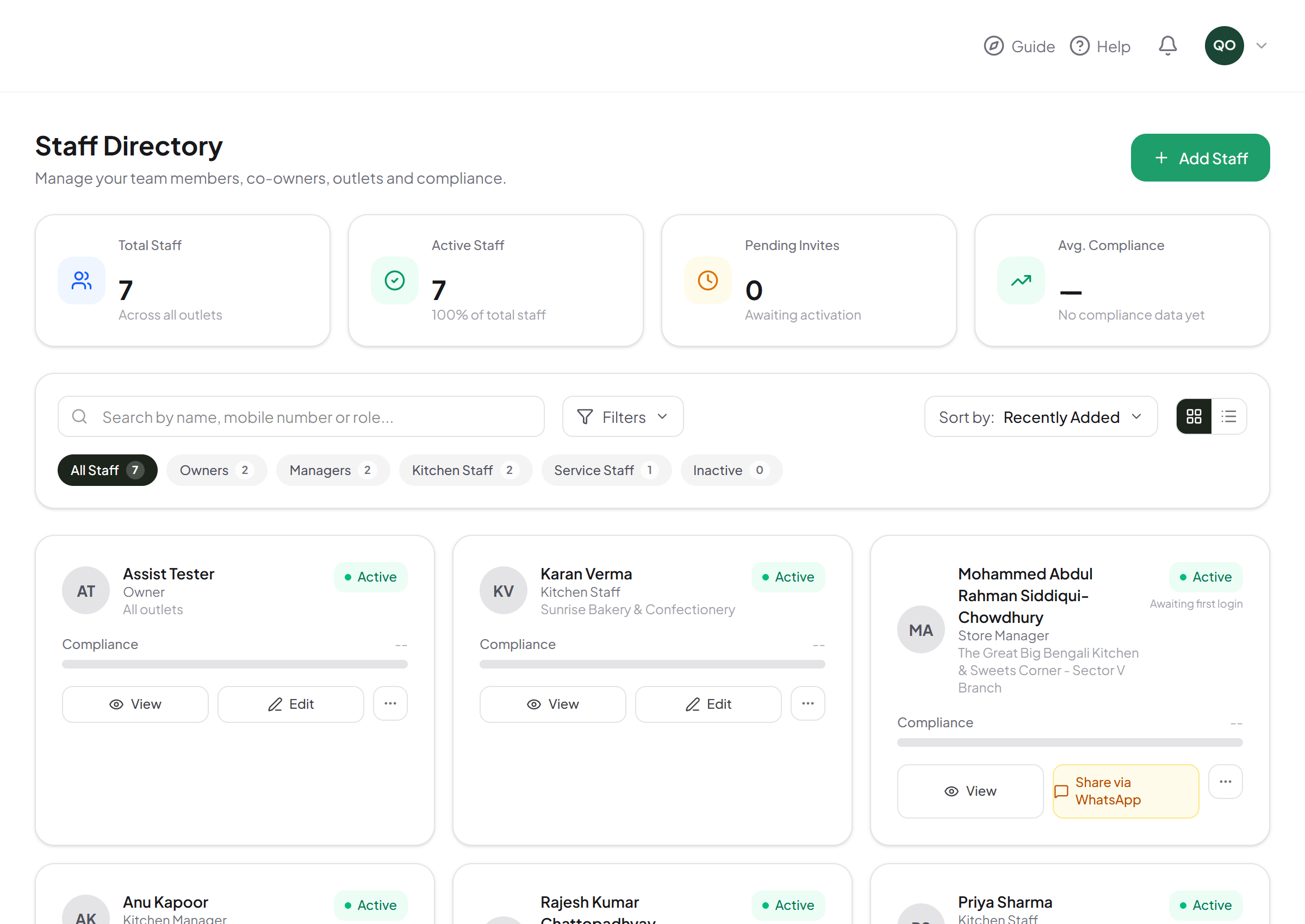
See every outlet's compliance score, issues and staffing in one dashboard
Build checklists once — staff get them automatically every day
Track mandatory documents (FSSAI license, fire safety, health certs) with real expiry dates
Publish schedules, approve leave, and export real CSV reports
Operations overview in the Mohar dashboard
Staff Directory in the Mohar dashboard
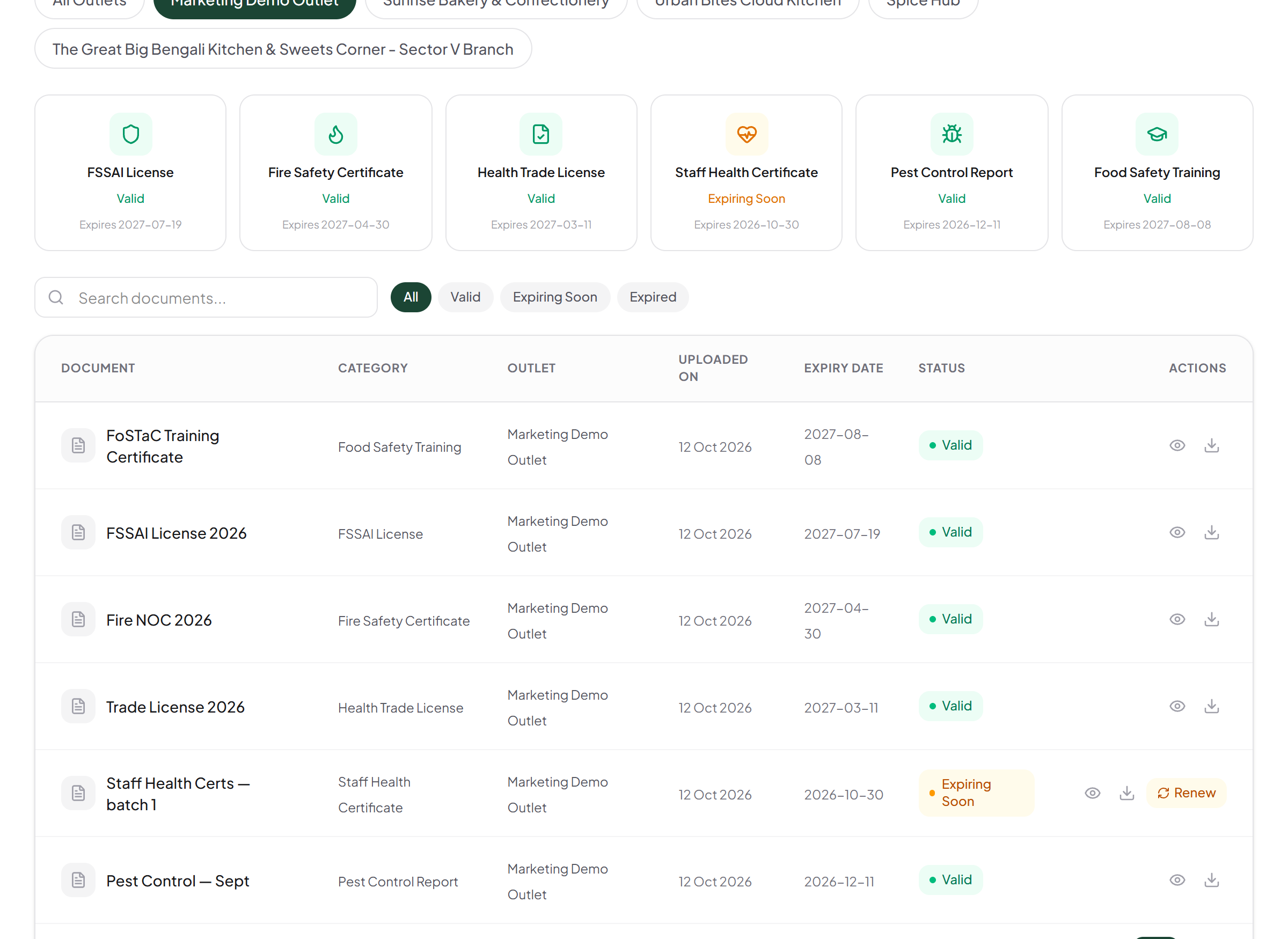
Audit documents in the Mohar dashboard
Mobile app

Staff

A simple daily flow on their own phone — nothing to set up, nothing they don't need.
Start the shift with a selfie — covers attendance and hygiene-gear check in one step
Today's checklist, already assigned — nothing to set up
Report a broken fridge or a safety issue in seconds, with a photo
See your own shifts, leave balance, and compliance score — nothing you don't need
Mohar staff app home screen
Mohar staff app checklists screen
The system

Eight things Mohar handles

Each one shown from the real app — tap through to see what it actually looks like.

01
Daily Checklists
DashboardMobile
02
Audit & Document Compliance
Dashboard
03
Selfie Check-In & Attendance
MobileDashboard
04
Workforce Scheduling
DashboardMobile
05
Issue Tracking
MobileDashboard
06
Compliance Score
Dashboard
07
Reports & Export
Dashboard
08
Multi-Outlet, Role-Based Access
Dashboard
Daily operations

Daily Checklists

Build checklists once in the dashboard — opening, hourly temperature logs, hygiene checks, closing — and staff get them automatically every day on their phone, scoped to their outlet and role.

One checklist builder, assigned by role — staff get exactly what's theirs
Critical items (like temperature) can be flagged to matter more to the score
Every checklist maps to a real food-safety category, not a generic to-do
Dashboard

Manager builds the checklist once, in the dashboard, and assigns it by role.
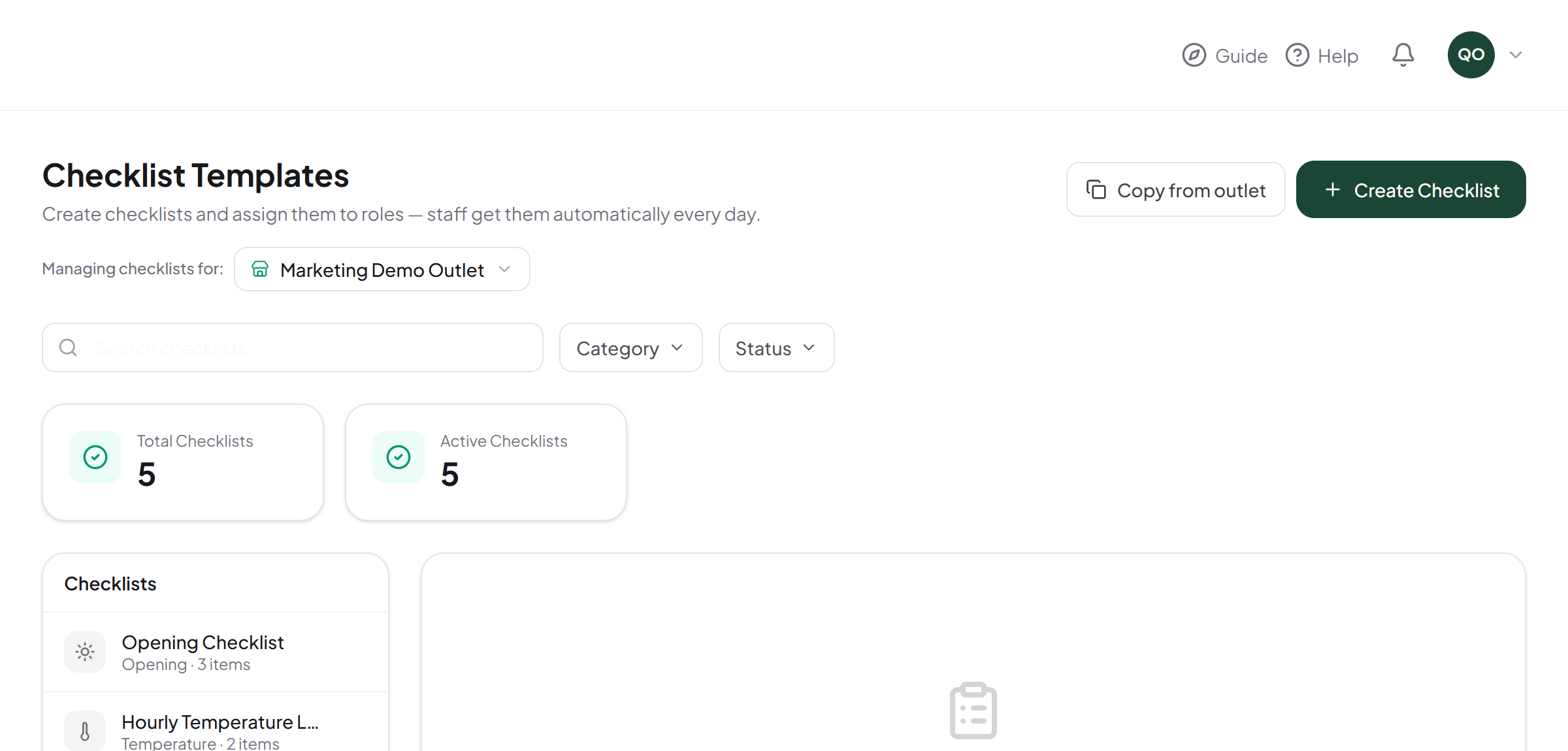
Checklist Templates screen in the Mohar dashboard
Mobile

Staff get it automatically on their phone, every shift — nothing to set up.

Checklists screen in the Mohar staff app
The single number

The Compliance Score, explained

The same formula, computed the same way, shown to owners and staff alike.

Audit
40%
Checklists
30%
Issues
20%
Attendance
10%

Audit results carry the most weight — they're the closest proxy to a real inspection. Checklists and open issues reflect daily discipline; attendance rounds it out. If a signal has no data yet (say, no audit has run), the score renormalizes over whichever signals actually have one — it never fakes a perfect score from silence.

A real outlet's compliance score, 80%, Grade A

See it running your own outlet.

Set up takes minutes. Your first checklist can be live today.

Join Mohar →